
Back to Blog
Marketing

When website redesigns start eating up time, teams often point to design delays, development backlog, or scope changes. They actually become months-long projects when strategy, content, visual direction, development, review, and CMS publishing move through different people, tools, and approval loops.
This article looks at how teams can turn a website redesign into a repeatable in-house system, from the first page decision through to launch and the updates that follow.
TL;DR
Website redesigns take months when research, messaging, visual direction, development, review, and publishing move through separate tools and handoffs.
Magi brings those stages into one workflow, turning current brand, keyword, product, and market context into structured page briefs, reusable templates, drafts, visual direction, approvals, and CMS-ready pages.
That connected workflow helps in-house teams test messaging, update pages, maintain brand consistency at scale, and protect SEO and AI-answer visibility across the long tail of the site.
Payactiv used this model to rebrand more than 100 pages across product lines and industry verticals, with reusable page structures, responsive layouts, source-backed evidence, and customer proof built in.
Your Redesign Is Not Slow. The Workflow Is Fragmented.
In a redesign, teams usually align on the homepage positioning, keyword plan, and visual identity. The cracks show up across product, solution, comparison, use-case, and industry pages, which move through their own mix of briefs, design decisions, approvals, and CMS handoffs.
Once rollout begins, marketing works from one document, design from another, developers receive a partial handoff, stakeholders weigh in through Slack and email, and the approved page gets rebuilt in the CMS.
A style guide records decisions, but it cannot keep the working brief current across every page, person, and tool. It does not carry product knowledge, page-specific evidence, visual references, or the latest messaging into the next handoff.
A delayed launch is just the start. If you don’t fix the fragmentation issue, marketing also loses the ability to test, update, and improve pages quickly.
When the Workflow Breaks, Discoverability Breaks Too.
Search and AI-answer visibility depend on pages that are specific, well-structured, current, and grounded in product and market knowledge. During a redesign, product, solution, comparison, and FAQ pages become the surfaces search engines and AI systems use to understand the company.
When those pages ship thin, late, or with old terminology, the site gives buyers and answer systems an incomplete or conflicting view of what the company does.
That problem compounds when the team cannot act on what it learns. If a solution page misses the buyer question or relies on stale proof, a fragmented workflow turns the correction into another project. A connected workflow lets marketing update the page, test the revised message with its intended ICP, and scale what resonates, giving search engines and AI systems a clearer, more current picture of the company over time.
Magi: The System Behind Faster Website Production
Magi brings the disconnected parts of website production into one workflow: research and keyword inputs, page briefs and drafts, visual direction, reusable templates, stakeholder feedback, brand checks, and CMS-ready publishing. Teams move from a page idea to an approved, publishable page without rebuilding the brief or reinterpreting decisions at every handoff.
Here’s what that workflow looks like in practice:
Every Page Starts With the Same Source of Truth.
BrandOS gives every page a shared starting point. Teams can load keyword guidance alongside brand voice, product knowledge, visual direction, campaign context, and content rules, then add page-specific files and evidence when they create a particular asset.
Research and Ideation Agents turn that context into current angles and page inputs. The Content Agent drafts from the same foundation stakeholders can see, so the team starts with a usable page brief instead of rebuilding one across a keyword spreadsheet, document, asset folder, and design handoff.
The evidence stays with the work. Claims can remain linked to their source from the initial brief through the final draft, whether they come from a public URL or an internal document.
Reviewers can verify the reasoning behind a page without starting a separate fact-check process.
Stop Rebuilding the Page Before You Start Writing It
Templates do more than standardize a layout. They preserve the information hierarchy, product value, proof, FAQs, CTAs, and visual structure each page type needs, so a new page starts from a proven foundation.
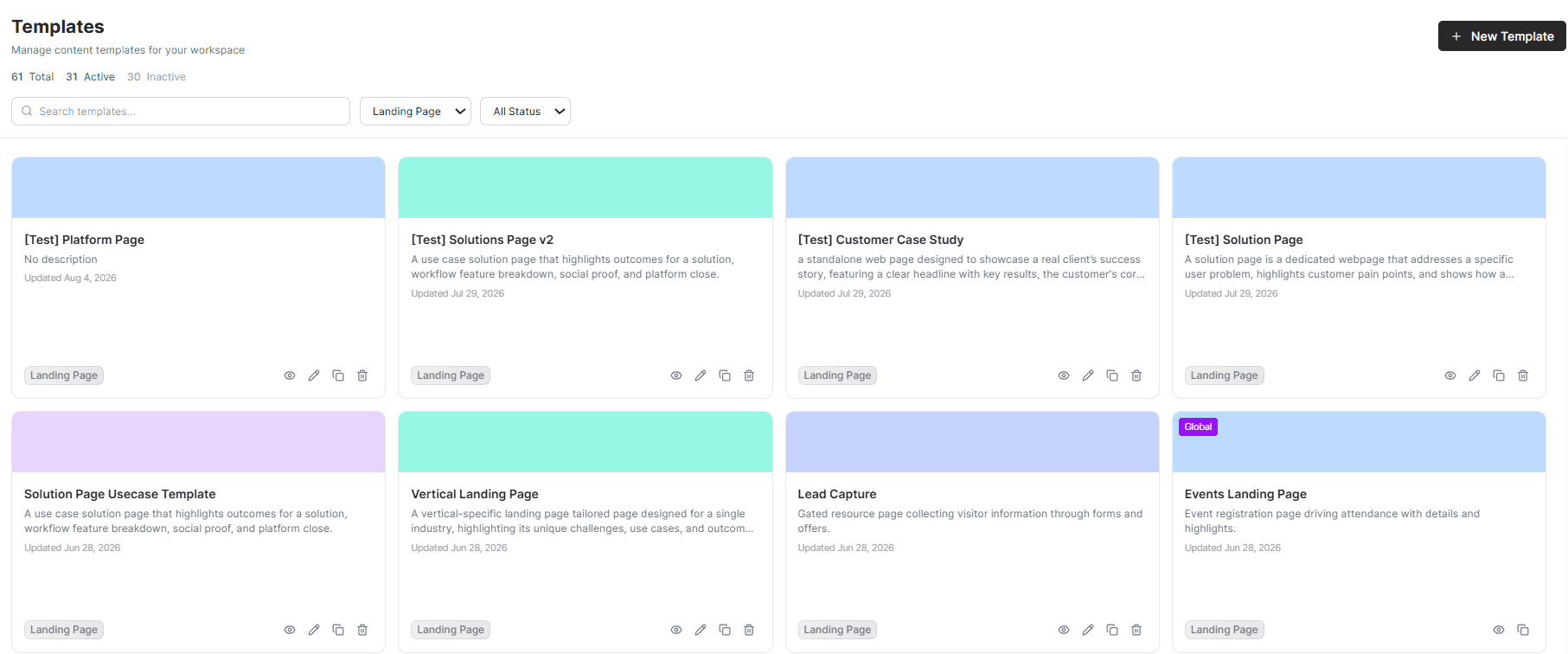
A team can test a new positioning angle, update a proof point, or adapt a solution page for a new vertical without reopening a layout debate or rebuilding the page from zero.
The structure stays stable while the team tests language, proof, offers, and discoverability across the market.
Make Quality Control Part of Page Production
Catch Brand Drift Before It Reaches the Site
Templates and BrandOS keep drift from starting. Brand Audit Agent catches it if it happens anyway. It runs before publish against the same structured BrandOS ontology that shaped the page, rather than a static style guide the reviewer has to interpret from scratch.
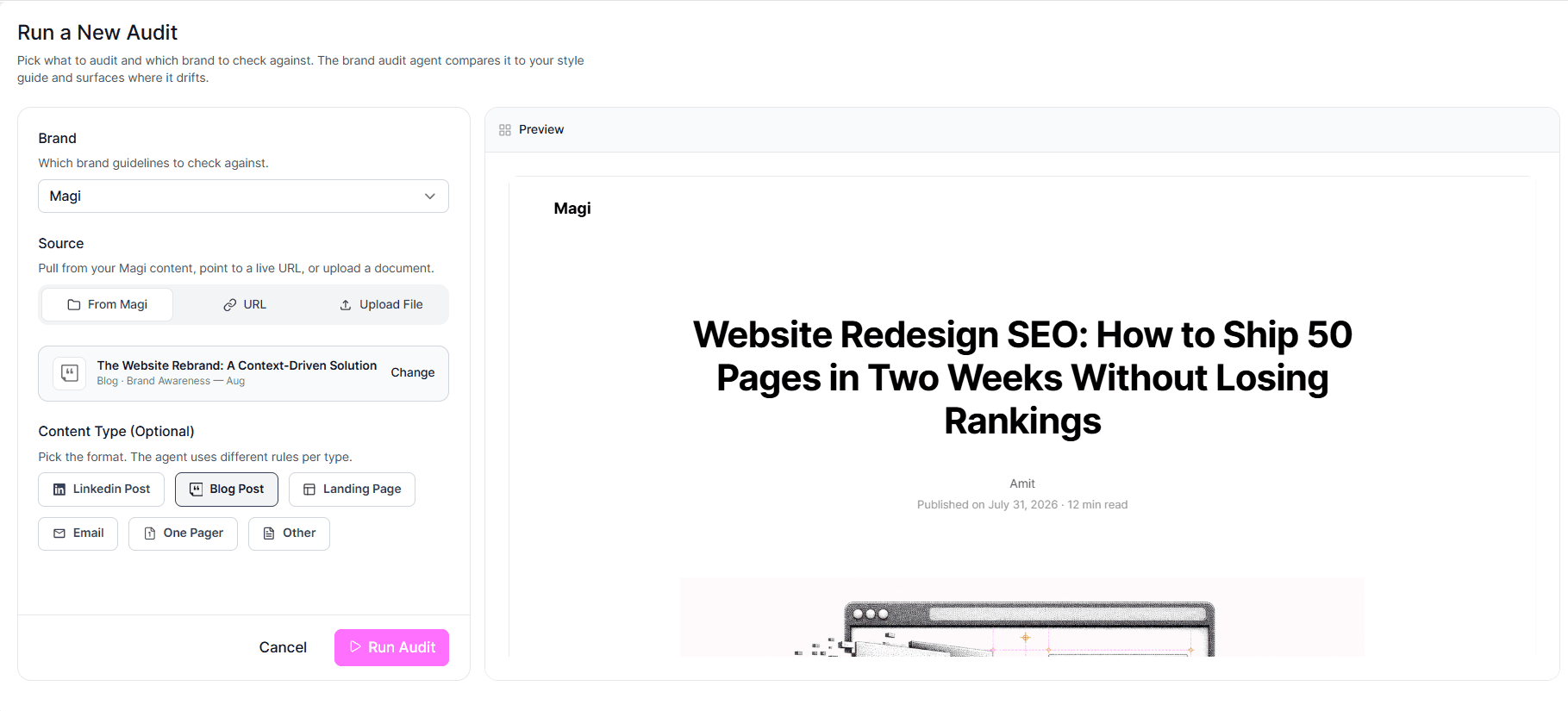
For every “High” or “Medium” issue, Brand Audit shows the exact brand rule behind the flag. Copilot then suggests a fix, which the reviewer can approve or revise before the page ships.
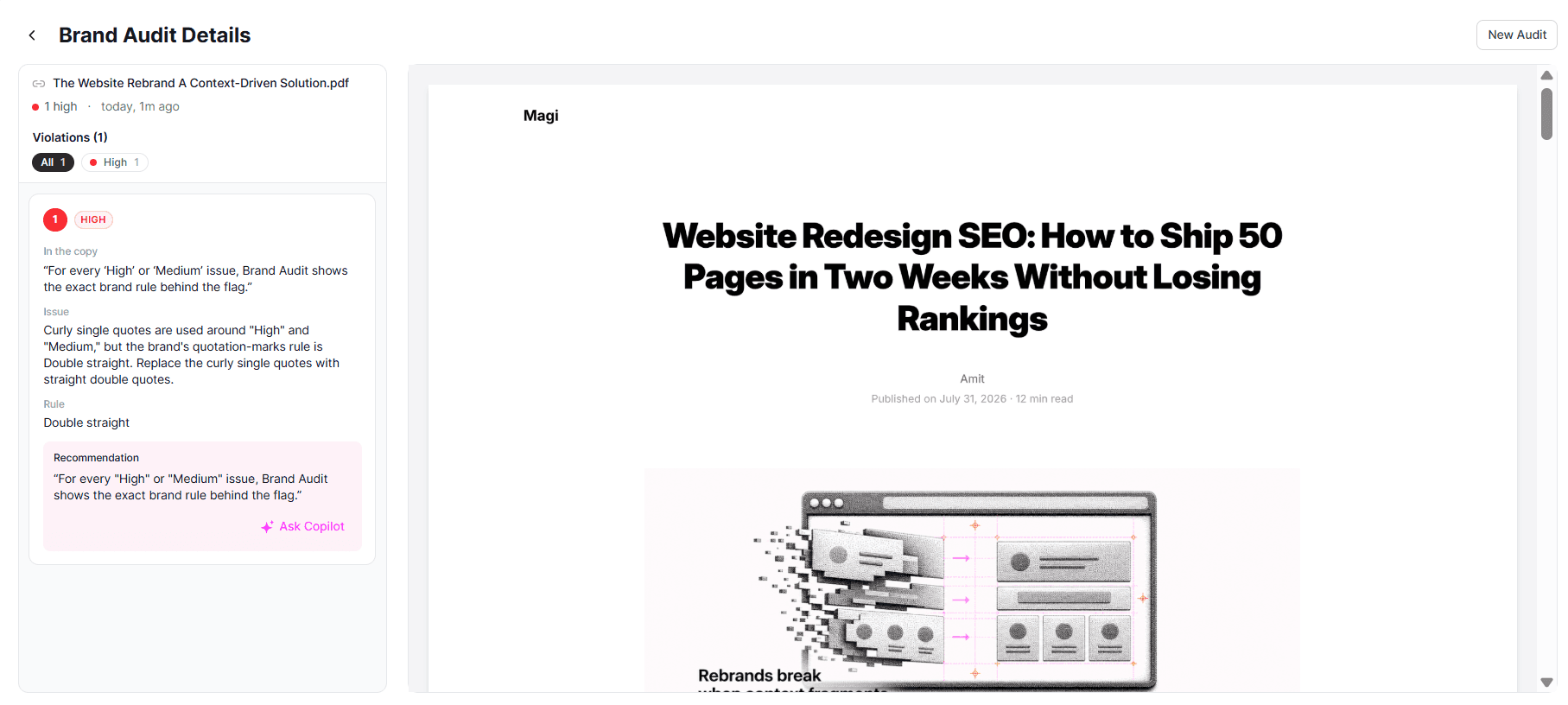
Brand Audit Agent can also review pages and materials created outside Magi. Paste in a live URL or upload a PDF, and it reviews the deliverable against the same brand ontology. That turns the review step into a repeatable step for every page, not only the pages someone remembers to check.
The Best Review Instructions Should Not Live in Someone's Head
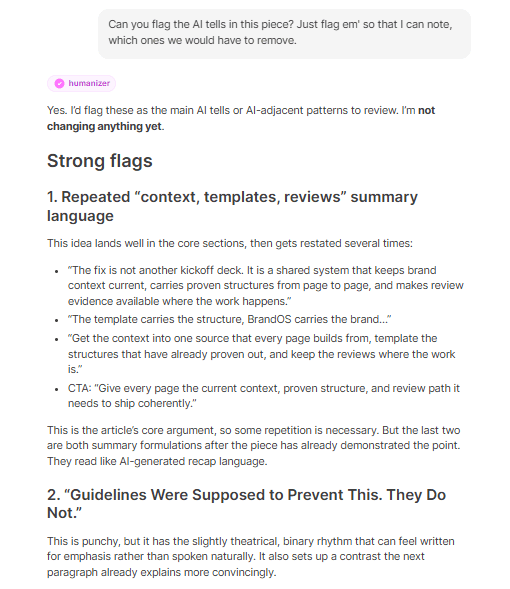
A rebrand touches dozens of writers, briefs, and one-off requests. Much of that work is repeatable in shape even when the content is not. Skills save a reusable set of instructions for a specific task, so the team does not have to re-explain the same formatting rules, tone checks, or structural pattern every time.
Humanizer is one example. It runs after a first draft, catches Magi-specific AI-writing tells, and returns a short changelog so reviewers can see what changed. The same pattern can support reading-level checks, vertical adaptations, or a final brand-voice pass before a page ships.
Keep Context Connected Beyond Magi
The redesign workflow should not restart inside WordPress. Approved pages can arrive as editable Gutenberg drafts with headings, tables, lists, buttons, FAQs, and images in place. SEO metadata can be generated and sent to Yoast SEO or Rank Math, so the page is ready for review instead of another manual rebuild.
HubSpot landing pages can publish as editable drafts with native modules, columns, images, and formatting intact.
For work that continues outside Magi, Magi MCP gives Claude live, read-only access to BrandOS context, including keywords, voice, terminology, approved imagery, legal rules, campaign details, and knowledge assets. The rebrand brief stays current wherever the work happens.
How Payactiv Rebranded 100+ Pages With Magi
Payactiv set out to refresh its brand across more than 100 pages, spanning financial wellness, payments, workforce solutions, the developer platform, and industry solution pages for retail, hospitality, and logistics. A simple homepage refresh would not have been enough. The team needed a page system that could carry the new story across the entire site.
Payactiv loaded its product context and complete testimonial library into Magi, then used that foundation to map the right capabilities and customer proof to each vertical. First drafts for every page were created in Magi, where the team could review the content in a visual page format before moving it into Figma for final design. The rebrand was completed in three weeks.
Architecture came first. Before anyone wrote a headline, the team mapped the site around four product pillars: financial wellness, payments, workforce solutions, and the developer platform. Every page belonged to one of those pillars, and its URL, structure, and place in the hierarchy were defined together rather than retrofitted at handoff.
Solution, product, feature, blog, podcast, and webinar pages started from reusable structures. Each page type already had the heading hierarchy, proof placement, FAQ block, and CTA pattern it needed, so a new page began with a usable foundation instead of a fresh layout debate. The same system also extended to explanatory, conversion, and support pages, so the rebrand reached beyond the top of the funnel.
Templates were designed across desktop, tablet, and mobile breakpoints, making responsive behavior a property of the page type rather than a fix the team had to apply one page at a time.
Retail and hospitality reused the same section order, proof slot, and CTA, then adapted the headline, imagery, and industry data to the buyer context. Source lines sat beneath the statistics, so the evidence stayed visible for brand and legal review instead of becoming an afterthought.
Proof had a reserved seat. Each solution-page template included a Client Spotlight block for a named customer quote and a linked case study card with outcomes. The team did not have to decide whether there was room for proof on each new page. It could focus on selecting the strongest proof for that buyer and page.
Three weeks later, Payactiv had a new site ready to launch, with the architecture, page structures, and proof patterns already in place for what came next.
Final Thoughts: A Rebrand Should Keep Working After Launch
A website starts aging as soon as the business changes and the team cannot update the pages that explain it. Product language evolves, new buyer questions emerge, proof gets stronger, and verticals need their own stories.
When the context, page structures, and evidence behind the site stay connected, teams can respond to those changes without reopening the entire project. Payactiv's three-week rebrand shows what becomes possible when website production begins with a shared system instead of a chain of disconnected handoffs.
Frequently Asked Questions
How long does a website rebrand take?
Why do website rebrands go over timeline?
How do you protect SEO during a website redesign?
What is LLM SEO in a website redesign?
How do you keep a rebrand consistent across every page?
